![[PAID] Paylune's Fivemap main image](https://forum-cfx-re.akamaized.net/optimized/5X/4/5/8/8/45888d6790b8542f970112b5d2579500d1a41e9f_2_690x402.jpeg)
Price
Unknown
A script by Paylune
Price
UnknownA FiveM resource that serves a live web map with real-time player positions. The map is delivered over HTTP from the server; players appear as markers. Configurable page title; no in-game UI or ACE permissions.
Buy Now:
https://paylune.tebex.io/package/fivemap
Video Walkthrough:
https://youtu.be/9GbL5yXbhew
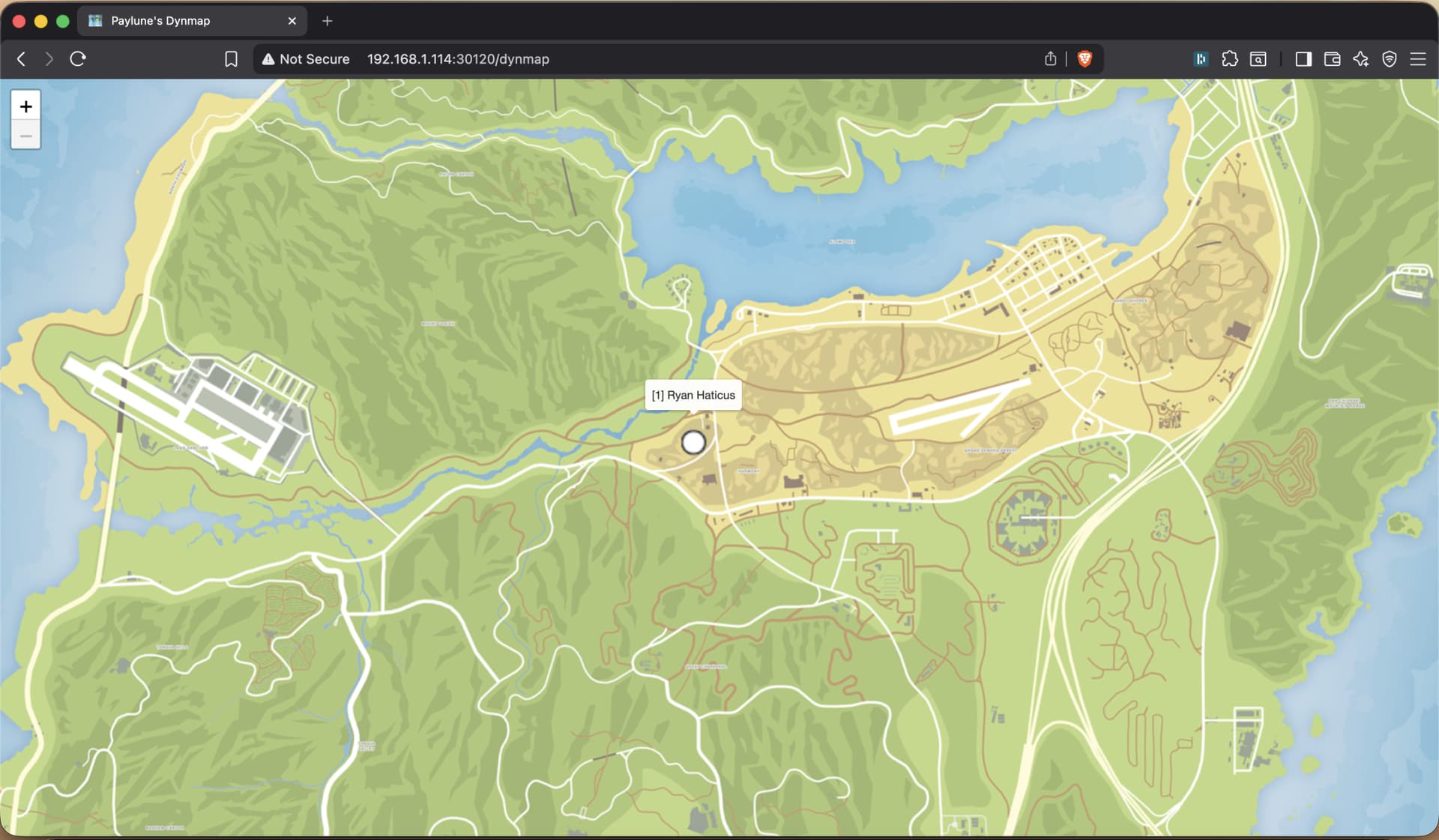
html/ folder. Open the map in any browser; no in-game menu./players (list of online players with id, name, x, y, z) and /config (page title and other settings). Used by the map frontend; can be consumed by other tools.http://your-server:30120/). The exact path depends on how your server or reverse proxy routes requests to this resource./fivemap/), use that path to load the map; the frontend will request /fivemap/players and /fivemap/config for live data and settings.You can expose the fivemap over HTTPS on a custom domain using a reverse tunnel. Cloudflare Zero Trust tunnels are one option; other reverse-tunnel solutions may work as well. The video above is an installation tutorial that shows Caddy + Cloudflare Zero Trust Tunnels: Caddy runs on a different port, rewrites the root path to /fivemap and reverse-proxies to the FiveM server; the tunnel then forwards your custom domain to Caddy.
If your chosen proxy or tunnel doesn’t support path rewrites, use Caddy in front of FiveM: run Caddy on a separate port (e.g. 30140), configure it to rewrite / to /fivemap/ and reverse-proxy to the FiveM HTTP port (e.g. 30120). Point the tunnel at Caddy’s port. The resource includes a Caddyfile and proxy.sh / proxy.bat to run Caddy with this setup.
All responses are JSON. The resource only handles GET for these.
| Endpoint | Method | Description |
|---|---|---|
/players |
GET | List of online players. Each entry: id (server ID), name, x, y, z (world coordinates). |
/config |
GET | Config exposed to the map. At least: pageTitle (string). |
Static assets (HTML, JS, CSS, images) are served from the html/ directory; exact paths depend on how the request path is mapped (e.g. / or /fivemap/ → html/index.html).
Config is stored in the resource folder as config.json. Defaults:
| Key | Default | Description |
|---|---|---|
pageTitle |
"Paylune's Fivemap" |
Title used in the web page. |
html/ folder. The server script serves those files and responds to /players and /config. Start the resource to serve the map; no extra deployment steps./players and updates markers for online players.| Code is accessible | Yes |
| Subscription-based | No |
| Lines (approximately) | ~2300 |
| Requirements | None |
| Support | Yes |
See what others are saying about this script.
Share your experience and help others.